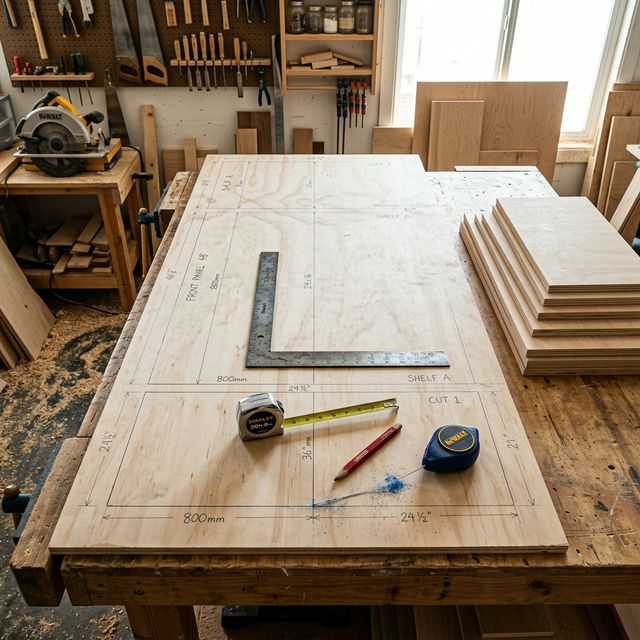
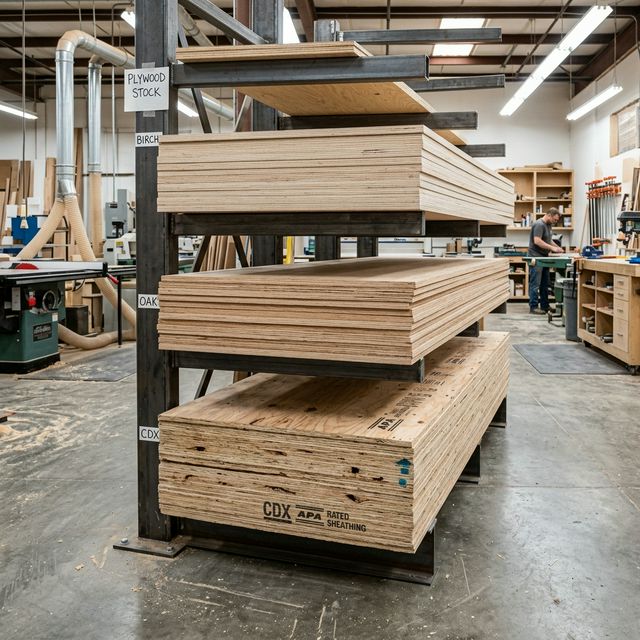
Sheet Cutting Calculator - Plywood Cut Calculator & Panel Optimizer

Free online sheet cutting calculator and plywood cut calculator for professional panel layout optimization. Calculate sheet material requirements, generate optimized cutting patterns, and minimize waste with our advanced plywood cutting calculator. Perfect for cabinet makers, woodworkers, and DIY enthusiasts. Get instant cut lists with real-time waste analysis and cost calculations.

Cutting Optimization Waste Analysis Cost Calculator Multiple Panels

Sheet & Panel Specifications

Plywood Sheet Size

inches

Panels Needed

Cost Analysis

$
$ per sq ft

Calculation Results

Enter panel dimensions and click "Calculate Sheet Requirements" to see your cutting optimization and material analysis.

Safety: Use safety equipment. Account for kerf width. Verify measurements before cutting.
Disclaimer: Calculations are optimization guides. Test layouts and verify actual sheet dimensions before cutting.

How to Use the Sheet Cutting Calculator

This plywood cutting calculator helps you optimize your sheet cutting projects and minimize waste. Follow these simple steps:

  1. Enter Sheet Dimensions: Input your plywood sheet size (standard 4x8 sheets are 48" x 96"). The calculator supports inches, feet, cm, and mm.
  2. Add Panel Sizes: Enter each panel or piece you need to cut from the sheet. Include dimensions and quantities for all required panels.
  3. Set Blade Kerf: Enter your saw blade kerf width (typically 1/8" or 3/32" for thin-kerf blades). This accounts for material lost during cutting.
  4. Calculate Results: Click "Calculate Cut List" to get optimized cutting patterns, waste analysis, and the total number of sheets needed.
  5. Review Layout: Examine the suggested cutting layout to maximize sheet material efficiency and minimize waste.

Pro Tips for Sheet Cutting

  • Group similar-sized pieces together for easier cutting
  • Consider grain direction for visible surfaces
  • Account for kerf width - it adds up quickly!
  • Save offcuts for future small projects
  • Verify actual sheet dimensions before cutting (they may vary from nominal sizes)

Professional Guide to Plywood Sheet Cutting & Panel Layout Optimization

Efficient plywood sheet cutting and panel layout planning is essential for professional woodworking projects. This comprehensive guide covers optimization strategies, cutting techniques, waste management, and cost-effective planning to help you maximize material efficiency and minimize project costs. Whether you're working with standard 4×8 plywood sheets or custom dimensions, proper planning with our sheet cutting calculator can reduce material waste by 15-30% and significantly improve your project outcomes.

Plywood Cutting Layout Optimization Strategies

Optimizing your plywood cutting layout is the foundation of efficient material usage. A well-planned cutting pattern can mean the difference between purchasing 3 sheets or 4 sheets for the same project, directly impacting both material costs and waste generation.

Key Principles for Optimal Panel Layout

  • Group Similar Dimensions: Organize your cut list by grouping panels with similar lengths or widths. This allows for more efficient strip cutting and reduces setup time.
  • Test Both Orientations: Always evaluate both portrait and landscape orientations for each panel. A 24"×18" panel might fit better rotated depending on other pieces in your layout.
  • Consider Grain Direction: For visible surfaces, plan cuts so face grain runs in the desired direction. Standard 4×8 plywood typically has grain running along the 8' dimension.
  • Sequential Cutting Strategy: Plan your cuts in sequence - start with rip cuts along the length, then make crosscuts. This maintains workpiece stability and improves safety.
  • Margin for Error: Add 1/16" to 1/8" to critical dimensions as a safety margin for final trimming and fitting.

Our cutting optimization calculator automatically tests multiple layout configurations to find the most efficient pattern for your specific panel requirements. For projects involving multiple material types, explore our complete range of material and measurement calculators.

Common Layout Patterns

Professional woodworkers typically use these proven layout strategies:

  • Strip Cutting Method: Rip the sheet into strips matching your panel widths, then crosscut to length. Best for multiple panels of similar width.
  • Grid Layout: Divide the sheet into a grid pattern for multiple small panels. Ideal when cutting many identical pieces.
  • Mixed-Size Optimization: Arrange larger panels first, then fit smaller pieces into remaining space. Maximizes material usage for varied panel sizes.
  • Nested Layout: For irregular or angled cuts, nest shapes together like puzzle pieces to minimize gaps.

Understanding Blade Kerf & Cutting Precision

Blade kerf - the width of material removed by the saw blade - is a critical factor that many woodworkers overlook in their initial planning. Failing to account for kerf can result in undersized panels, wasted material, and incorrect yield calculations.

Standard Kerf Specifications

Blade Type Kerf Width Decimal Best For
Standard Circular Saw 1/8" 0.125" General purpose, construction
Thin-Kerf Blade 3/32" 0.094" Material savings, less waste
Cabinet Table Saw 1/8" - 5/32" 0.125" - 0.156" Precision work, clean cuts
Track Saw ~1/16" ~0.063" Fine work, minimal waste

Note: Actual kerf may vary by blade condition and manufacturer. Always measure your specific blade for accurate calculations.

Impact of Kerf on Panel Yield

Consider a 4×8 plywood sheet (48" × 96") being cut into 12" wide panels:

  • Without Kerf Consideration: 96" ÷ 12" = 8 panels (theoretical)
  • With 1/8" Kerf: 96" ÷ (12" + 0.125") = 7.9 panels → 7 actual panels
  • Material Loss: Each cut removes material equal to blade width. Seven cuts = 7 × 0.125" = 0.875" lost to kerf

For precise kerf calculations across different blade types and cutting patterns, use our plywood sheet calculator which automatically accounts for blade width in all yield calculations.

Best Practices for Kerf Management

  • Measure Your Actual Kerf: Cut a test piece and measure the actual kerf width. Blade kerf can vary with age and sharpening.
  • Use Thin-Kerf Blades: When possible, thin-kerf blades reduce material waste and require less power from your saw.
  • Account for Every Cut: In your cut list planning, add kerf width between every piece.
  • Sharp Blades Save Material: Dull blades can increase effective kerf width and cause tear-out, wasting more material.

Material Waste Analysis & Cut Sheet Planning

Effective waste management in plywood cutting goes beyond minimizing offcuts - it involves strategic planning to ensure waste pieces can be repurposed for smaller project components, understanding the true cost of waste, and making informed decisions about material purchasing.

Types of Plywood Waste

  • Edge Waste: Strips remaining along sheet edges after optimal panel placement. Often 2-6 inches wide, these can be saved for edge banding, jigs, or shop fixtures.
  • Corner Offcuts: L-shaped or rectangular pieces from corners. Valuable for smaller project parts like drawer bottoms, template material, or test pieces.
  • Kerf Waste: Material removed by blade. This is unavoidable but should be minimized through efficient layout and appropriate blade selection.
  • Unusable Fragments: Very small pieces or those with defects that cannot be repurposed. Track these to understand true material efficiency.

Strategic Waste Utilization

Professional shops maintain an organized waste management system:

  • Maintain a Cut-Off Bin: Sort usable offcuts by size ranges (e.g., 6"-12", 12"-24", 24"+). Label with dimensions for easy retrieval.
  • Plan for Waste Usage: When designing projects, identify small components (drawer bottoms, backs, dividers) that can use offcut material.
  • Calculate Waste Value: Track waste as a percentage of total material cost. Professional shops target 8-15% waste for plywood projects.
  • Secondary Project Planning: Keep a list of shop improvements or small projects (workbench accessories, tool organizers) that can use accumulated offcuts.

Use our wood waste calculator to analyze material efficiency across projects and identify opportunities for improvement. For comprehensive cost analysis including waste value, try our lumber cost calculator.

Waste Reduction Techniques

Pro Tips for Minimizing Waste:
  • Design projects with dimensions that align with standard sheet sizes (multiples of 12", 16", or 24")
  • Combine multiple small projects to cut from the same sheet efficiently
  • Consider increasing project dimensions slightly if it significantly improves material utilization
  • Use our calculator to compare waste across different sheet orientations and cutting sequences
  • For large projects, invest time in detailed cut planning - 30 minutes of planning can save an entire sheet

Cost Optimization & Project Economics

Understanding the true cost of plywood cutting involves more than just material price per sheet. Labor time, tool wear, setup complexity, and waste management all contribute to total project costs. Professional cost optimization balances material efficiency with practical considerations.

Total Cost Components

Note: Percentages are general references. Actual distribution varies by project scale, labor rates, and shop efficiency.

Cost Category Typical % Factors
Material Cost 40-60% Sheet price, grade, quantity
Labor/Setup Time 25-40% Complexity, precision needed
Tool Wear & Consumables 5-10% Blade life, sandpaper, finishes
Waste Disposal/Storage 5-10% Offcut value, storage space

Cost-Effective Decision Making

Sometimes purchasing an additional sheet is more economical than creating complex cutting patterns:

  • Simple vs. Complex Patterns: A cutting pattern requiring 12 precise cuts and multiple setups may cost more in labor than buying one extra sheet for a 4-cut pattern.
  • Sheet Grade Considerations: Using construction-grade plywood for hidden components and premium grades only where needed can save 30-50% on material costs.
  • Bulk Purchasing: For large projects, purchasing full bundles (typically 50-80 sheets) can reduce per-sheet cost by 15-25%.
  • Waste Value Credits: Factor in the value of usable offcuts. A pattern with 10% more waste but larger, more usable offcuts may be more economical.

For comprehensive project pricing including materials, labor, and overhead, explore our custom furniture pricing calculator and other business and cost tools.

Real-World Cost Comparison Example

Project: Kitchen Cabinet Doors (20 pieces, 18" × 24" each)

Note: This is a hypothetical example for illustration only. Actual costs vary by location, labor rates, and materials. Always calculate specific project costs.

Option A - Tight Optimization (3 sheets):

  • Material Cost: $135 (3 sheets × $45 example price)
  • Cutting Time: 2.5 hours (complex pattern, multiple setups)
  • Labor Cost: $125 (at $50/hour example rate)
  • Waste: 12% usable, 8% unusable
  • Estimated Total: ~$260 (example)

Option B - Simple Layout (4 sheets):

  • Material Cost: $180 (4 sheets × $45 example price)
  • Cutting Time: 1.5 hours (straightforward grid pattern)
  • Labor Cost: $75 (at $50/hour example rate)
  • Waste: 25% usable for drawer bottoms (estimated value: $20)
  • Estimated Total: ~$235 (saves ~$25 vs. Option A)

This example demonstrates why professional shops use our plywood calculator to evaluate total project economics, not just material usage.

Frequently Asked Questions

Use our sheet cutting calculator to plan your cuts and maximize the use of each plywood sheet. Group similar-sized pieces together, consider grain direction requirements, and account for blade kerf width. Test different panel combinations to find the most efficient cutting layout. A well-planned cut list can reduce material waste by 15-30%.

Kerf is the width of material removed by the saw blade. Standard blades typically have 1/8" (0.125") kerf, while thin-kerf blades use 3/32" (0.094"). This affects how many pieces you can cut from a sheet and must be included in calculations.

Yes, especially for visible surfaces and structural components. Plywood grain typically runs along the length (8' dimension). Plan cuts so the face grain runs in the desired direction for strength and appearance.

Compare total material cost including waste. Sometimes buying an extra sheet for a simpler cutting pattern is more economical than complex layouts. Consider your time, tool wear, and the value of waste pieces for future projects.

The most common plywood sheet size is 4'×8' (48" × 96"), followed by 4'×10', 4'×12', 5'×8', and 5'×10'. From a standard 4×8 plywood sheet, you can typically cut 8 pieces of 2'×2' panels or 4 pieces of 2'×4' panels, depending on your cutting layout and blade kerf. Use our plywood cutting calculator to determine exact panel quantities for your specific project needs. Always verify actual sheet dimensions as they can vary slightly from nominal sizes.

Start by entering all your panel dimensions into our panel cutting calculator. The tool will generate an optimized cutting layout showing how many sheets you need and the best cutting pattern. List all required pieces by size, group similar dimensions together, and consider both orientations (portrait and landscape) for each panel. For odd-sized panels that don't fit standard patterns, consider edge-joining smaller pieces or modifying your design slightly to improve material efficiency.

A sheet cutting calculator is a specialized tool that helps you optimize how you cut panels from large sheets of plywood, MDF, or other sheet materials. It calculates the most efficient cutting pattern to minimize waste and reduce the number of sheets needed. The calculator considers your panel sizes, sheet dimensions, blade kerf, and generates a cut list showing exactly where to make each cut. This saves money by reducing waste and helps you plan your project more accurately.

From a standard 4x8 plywood sheet (48" × 96"), you can cut 4 pieces of 2'×4' (24" × 48") panels perfectly with minimal waste. If you orient them properly, the panels will fit exactly with just kerf losses between cuts. Our plywood cut calculator automatically determines the optimal layout and accounts for your saw blade's kerf width to give you accurate results.

Yes! This sheet material calculator works for all types of sheet goods including plywood, MDF (Medium Density Fiberboard), particle board, OSB, hardboard, and even acrylic or melamine panels. The cutting optimization principles are the same regardless of material. Just enter your sheet dimensions and panel requirements, and the calculator will provide an optimized cutting pattern. Different materials may require different blade types and kerf widths, which you can adjust in the calculator settings.

A plywood cut calculator focuses on determining how many panels you can cut from standard plywood sheets, while a cutting optimization calculator provides more advanced features like visual layout diagrams, multiple material types, complex nesting algorithms, and waste minimization strategies. Our free sheet cutting calculator combines both approaches, offering basic cut list generation for simple projects and optimization features for more complex cutting requirements.

Kerf (the width of material removed by the saw blade) must be added between each cut. For example, if you're cutting 4 panels from one sheet with a 1/8" kerf blade, you'll lose 3 × 1/8" = 3/8" total to kerf. Our calculator automatically accounts for this when generating cut lists. Always enter your actual blade kerf width (check your blade specifications) for accurate results. Thin-kerf blades (3/32") save material compared to standard blades (1/8") and can allow for additional panels from the same sheet.